
Best Habit Tracker with Widgets, Icons, and Colors for Android
Tenor
Tenor Editorial Team
Why Personalization Matters in a Habit Tracker
People stick with habits for different reasons. Some want structure. Some want visual clarity. Some want a calmer routine. Others need a reminder sitting right on the home screen.
That is why a habit tracker should not feel generic. The more personal the experience, the more likely it is to become part of daily life.
Customization is not just decoration. It helps you recognize habits faster, feel more connected to your routines, and return to the app more often.

What Makes a Habit Tracker Feel Personal
A useful Android habit tracker should let you make the system your own.
That usually means:
- choosing icons that make habits easy to identify,
- assigning colors that help you scan the dashboard quickly,
- and placing widgets where they are easy to see.
When the app feels like your system, not someone else's template, consistency becomes easier.
Icons and Colors Make Habits Easier to Recognize
One of the simplest ways to improve daily use is to reduce the time it takes to identify a habit.
A running shoe icon for workouts. A book for reading. A water drop for hydration. A moon for sleep.
The brain processes visual cues faster than text. That means icons and colors do more than make the app look nice. They speed up recognition.
Tenor supports custom icons and colors so every habit can have a clear visual identity. That makes the dashboard easier to read and more enjoyable to use.
Widgets Turn Your Home Screen into a Habit Reminder
Widgets are one of the most useful features in any Android habit tracker.
Why? Because they move the habit out of the app and into your daily environment.
Instead of opening the app every time, you can see your routine directly on your home screen. That lowers friction and increases the chances that you actually interact with the habit during the day.
Tenor includes widgets designed for different use cases:
- a today checklist for quick completion,
- a monthly grid for a broader view,
- and a year view widget for long-term motivation.
The right widget can make your habits feel present without being intrusive.

A Good Habit Tracker Should Stay Calm
Personalization is useful, but it should not turn the app into noise.
Some apps add badges, points, leaderboards, and notifications everywhere. That can work for some users, but for many people it becomes distracting.
A calmer design often works better for long-term use:
- fewer interruptions,
- clearer visuals,
- and a cleaner interface.
Tenor is built around that idea. It keeps customization available, but the overall experience remains quiet and focused.
Private Progress Is Still Powerful
You do not need a social feed to stay motivated.
Seeing your own streaks, totals, and milestones is often enough. A habit app should help you notice progress without forcing public sharing or unnecessary social pressure.
That is why a private tracker can still feel rewarding. It gives you the satisfaction of progress while keeping your routines personal.
Accessibility Should Be Built In
A useful app should work for as many people as possible.
That means:
- readable contrast,
- large enough touch targets,
- screen-reader labels,
- and a layout that remains understandable in both light and dark modes.
These details do not always get attention in app marketing, but they matter a lot in real use. If an app is easy to navigate, it is easier to keep using.
How to Choose the Right Customization Features
Not every personalization feature matters equally. Before choosing a habit tracker, ask whether the customization is actually helping daily use.
Good customization should make the app easier to understand at a glance. If it only makes the app look prettier but adds complexity, it is not pulling its weight.
The strongest customization features are the ones that reduce friction:
- visual icons for instant recognition,
- colors for fast scanning,
- widgets for one-tap access,
- and calm themes for easier long-term use.
Why Tenor Focuses on Personalization
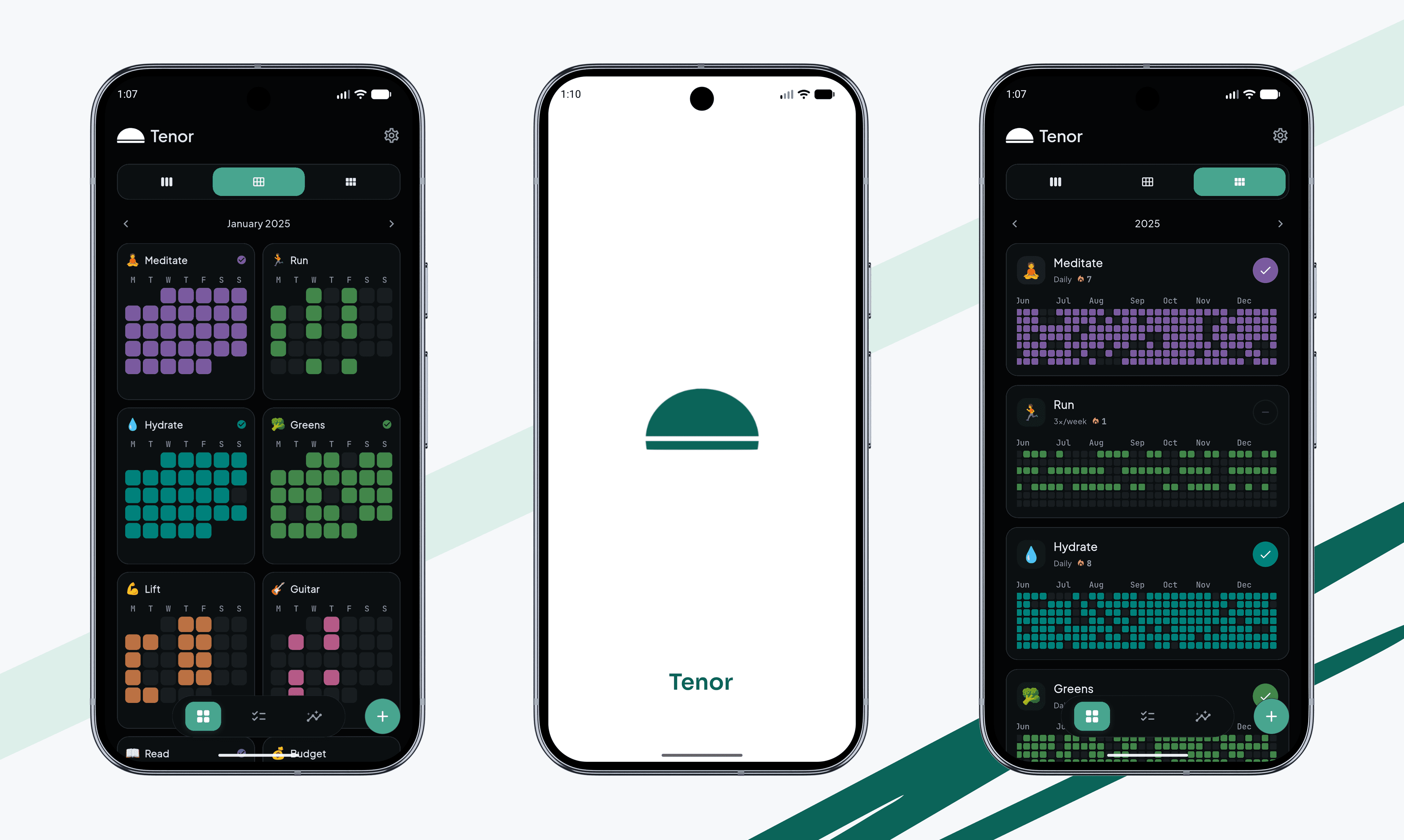
Tenor is designed to stay calm, fast, and visual.
That means you can:
- assign an icon to a habit,
- choose a color,
- pin widgets to your home screen,
- and track progress without clutter.
The result is a habit tracker that feels more like your own system and less like a generic checklist app.
Start With One Custom Habit
The easiest way to test a habit tracker is to personalize one habit first.
Pick a habit that matters to you. Give it an icon. Choose a color. Place a widget on your home screen. See whether that makes the routine easier to remember.
 and make your first habit feel like yours.
FAQ
Do widgets really help with habits?
Yes. Widgets reduce the number of steps needed to check in with your routine, which makes it easier to stay consistent.
Why are icons important in a habit tracker?
Icons make habits easier to recognize at a glance. That helps you move faster and understand your dashboard more quickly.
Is customization enough to keep a habit app useful?
Not by itself. The best customization works together with a fast tracking flow, clear visuals, and simple daily use.
Should a habit tracker support dark mode?
Yes. Dark mode and high-contrast themes can make the app easier to use for longer sessions and different environments.
Related Reading
If you want to see how quick tracking helps consistency, read why most habit trackers fail. If you want a stronger sense of progress, see habit streak calendars and stats.
Enjoyed this? Share it with a friend.
Share on X